Lewis Woolley
UNIT 14 M1Task 3 - Operating Systems
Explain how an operating system can be viewed as an event driven application.
Operating systems
It is the most preferred operating system. Another example of an operating system (os for short) would be Linux. Linux is an operating system MAC uses. Events are translated through the BIOS and will eventually reach the os (operating system) There are three layers when it comes to event driven operating systems, the event would be first, the bios would be second and the operating system would be third.
Event driven operating systems
Windows 7 and many other operating systems can be argued that they are event driven. Software such as databases are extremely event driven as they use features such as the dropdown event. An example of a dropdown event would be the "font menu" the font you are looking for will be within this menu. Once the down arrow is clicked you will be able to search or look through a large amount of fonts, general or personally installed to find a specific one. This event also stores information. Until you clear your cache, your previously used fonts and styles will be saved which is really helpful. For example, if I was to use the font "IMPACT" which is a very bold and thick font, the software would pick up that I am using that font and will place it in a cache which will allow me to select it a lot easier and faster the next time I would like to use it.
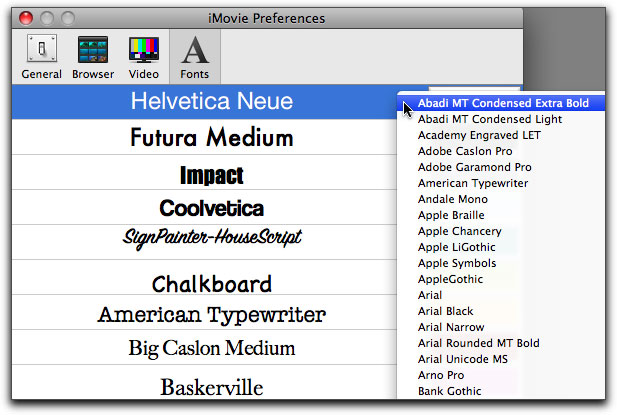
There are many different classes in an operating system for it program correctly,the software will need a variety of classes for it to work.
Another example would be form load events. this is where you open up a form of any time and in the background the event is being ran in the system to find the correct and certain amount of data.
Examples of how event driven operating systems work
If you would like to install the latest driver for your hardware, you would need to process through a series of event driven programming. For example; Start > Google chrome > website URL (I.E. Nvidia website) > Driver update > 64 bit or 32 bit operating system > download > Run > Install > reboot. Once these events are processed, the driver update information will be on your hardware allowing you to continue computing.
Events can be triggered by all types of different ways, for example the scroll over, the double click, the single click and the right click. What ever you do on a computer is event driven programmed. As a user your are requesting the computer to perform certain events to achieve the goal or process the user was aiming to deliver.
Within an operating system
An operating system is a series of programmed code to help the user work their activities, whether this is editing, playing games or searching the web. There are two types of management in an operating system, the event manager and the process manager.

The type of process management works with the events it has been told to deal with and completes them to determine an outcome, for example if you hit the start button on your screen or keyboard, the process manager will use the information you sent, and read it to decide what the outcome of the event you chose was.
The event manager will manage the events you request and verify the information it receives from the process manager. This is what is the final verdict of what the requested event was, although it sounds like a long process; it works within a matter of milliseconds which means it is practically almost instant (ms)
Event driven hardware
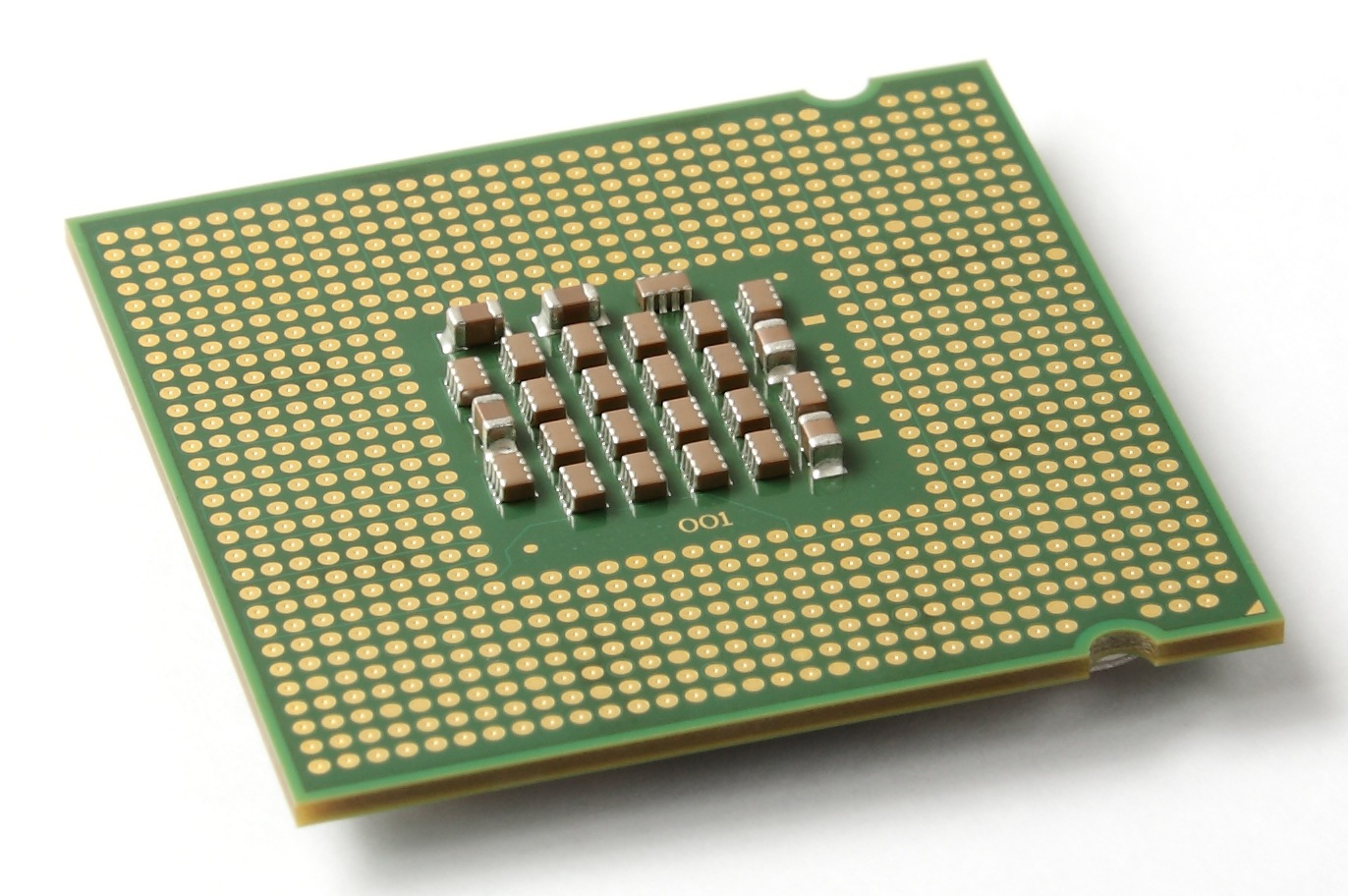
The operating system would not work without pieces of hardware within the computer. It will also need certain peripherals, such as the mouse and keyboard. There are also internal components such as the CPU, Hard drive and RAM.

The CPU is used to process all the computing information, in this scenario it will be used to process the events, it is the hardware side to the BIOS.
The hard drive will be needed to store cache information, such as the saving certain file locations. It memories past experiences and uses them to create a better experience using event driven programming. The hard drive is also used to store information on. Event driven code is used to manually save files, images or documents to a hard drive.

References
Isle-IT-Wiki - How Windows Can Be Viewed As Or Shares Features With An Event Driven Programming. 2013. Isle-IT-Wiki - How Windows Can Be Viewed As Or Shares Features With An Event Driven Programming. [ONLINE] Available at: https://isle-it-wiki.wikispaces.com/How+Windows+Can+Be+Viewed+As+Or+Shares+Features+With+An+Event+Driven+Programming. [Accessed 02 October 2013].
. 2013. . [ONLINE] Available at:http://www.isg.rhul.ac.uk/~simos/pub/SecurityVulnerabilitiesInEvent-drivenSystems.pdf. [Accessed 02 October 2013].
windows - How is Win32 event-driven programming implemented under the hood? - Stack Overflow. 2013. windows - How is Win32 event-driven programming implemented under the hood? - Stack Overflow. [ONLINE] Available at: http://stackoverflow.com/questions/765421/how-is-win32-event-driven-programming-implemented-under-the-hood. [Accessed 02 October 2013].
Oracle Event Driven Architecture. 2013. Oracle Event Driven Architecture. [ONLINE] Available at: http://www.oracle.com/technetwork/middleware/event-driven-architecture/overview/index.html. [Accessed 02 October 2013].

No comments:
Post a Comment